
Installation Paths for naga222
Choose the method that suits your device and preference. All three paths—Android APK, iOS browser, and web—connect to the same naga222 account and game library.
Android APK Installation (4 Steps)
-
1
Download the APK fileStep 1
Open this page on your Android phone, tap the Android button above, and the APK file downloads to your phone's Downloads folder.
-
2
Allow unknown sourcesStep 2
Go to Settings → Security → Unknown Sources and toggle it on. This lets your phone install apps outside the Google Play Store.
-
3
Install the appStep 3
Open your Downloads folder, tap the naga222 APK file, and follow the on-screen prompts. The app installs in seconds.
-
4
Log in or registerStep 4
Open the naga222 app, enter your username and password, and start using your account immediately.
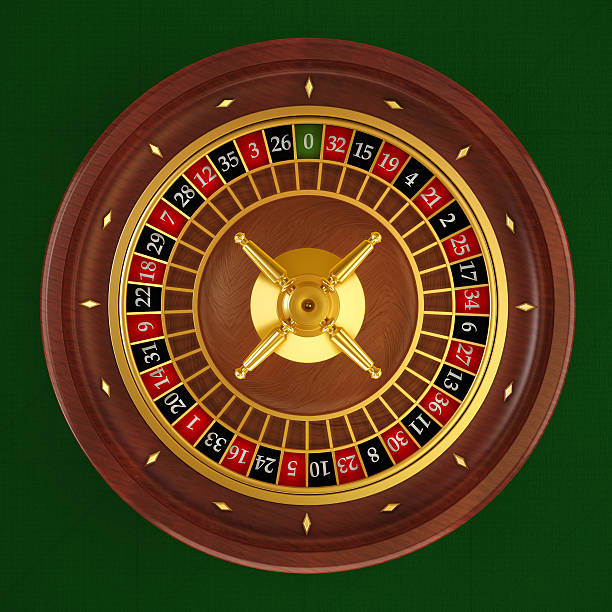
iOS Browser Access
iOS users cannot install APK files, so we recommend accessing naga222 through Safari or Chrome on your iPhone or iPad. Open this page on your iOS device, tap the iOS button above, and bookmark naga222 to your home screen for fast access.
Our mobile website works identically to the Android app: you get the same live-dealer tables (blackjack, roulette, baccarat, Dragon Tiger, Sic Bo), sportsbook markets, slot games, and payment methods (DANA, e-wallet, mobile banking, local payment, online payment, e-wallet, mobile banking, local payment, online payment, e-wallet). Your iOS browser version uses the same account and stays in sync with Android and web logins.
App vs. Browser: Key Differences
Our naga222 app (Android) and browser versions share nearly identical functionality, but the app offers a few technical advantages. The app caches game data locally, so it loads faster on slower connections and uses less data. Push notifications remind you of live-dealer table openings and sportsbook updates without needing to open a browser tab. The app also keeps your session alive longer, so you stay logged in between uses—just remember to turn on two-factor authentication to protect your account if you use this feature.
The browser version (iOS, web, or desktop) works everywhere without installation and updates automatically. Choose whichever fits your workflow: app for speed and offline caching, browser for convenience and no install steps.

Device Requirements and Compatibility
Our naga222 app requires Android 7.0 or later; older phones may not run it. iOS users need iOS 12 or newer to access our mobile website. If your device is older, you can still play through a desktop or laptop browser by visiting naga222.app. We test our app and browser on the most common phones and tablets in use today, but if you encounter a crash or error, contact our support team through the app with your device model and Android/iOS version.
Troubleshooting Installation
If you see a warning saying "Unknown app" or "Not verified from Play Store," that is normal when installing directly from APK. We do not list the naga222 app on Google Play because our service is available only where local law permits, and app stores have geographic restrictions we prefer to manage ourselves. The APK file is safe and uses the same encryption as any app on the Play Store.
If "Unknown Sources" is already enabled but the install still fails, try restarting your phone or clearing your Downloads folder to free up space. If the app crashes after installation, uninstall it, restart your phone, and reinstall the latest APK. If problems persist, our support team can help troubleshoot your specific device.
For iOS, if Safari says the page is not secure or won't load, try clearing your browser cache (Settings → Safari → Clear History and Website Data) and opening naga222.app again. Make sure you have a stable internet connection—live-dealer streams need steady bandwidth.
Data, Permissions, and Account Security
Our naga222 app requests permission to access your phone's internet connection and location (for compliance with jurisdiction restrictions). We do not access your contacts, photos, calendar, or microphone. Your location is checked only during account setup to verify you are in a jurisdiction where naga222 services are available.
Every login to naga222 is encrypted end-to-end: your password travels to our servers in encrypted form and is never stored in plain text. We recommend enabling two-factor authentication in your account settings so that even if someone learns your password, they cannot access your account without a code sent to your phone.
If you lose your phone or sell it, log out of the naga222 app immediately. Log in to your account from another device, go to Security settings, and revoke all other sessions. Your transactions and balance are always tied to your account, not to your phone, so switching devices is straightforward.
naga222 works best on phones. Our app is built to stream live dealers and sportsbook odds smoothly on slower connections, so you stay in the game anywhere.
Why Access naga222 on Mobile
- Play live dealers anytime: Blackjack, roulette, baccarat, and Dragon Tiger tables are streamed 24/7. Open the app and join a game in seconds.
- Follow sportsbook matches: Liga 1, Piala AFF, Champions League, and Premier League odds update live. Check live scores and place bets while the match is on.
- Quick deposits and withdrawals: mobile banking, local payment, online payment, e-wallet, and bank transfers process fast on mobile, so you can fund your account and cash out on the go.
- Low-data streaming: Live-dealer video adapts to your connection speed, so you can watch real dealers even on 4G or slow WiFi.
- Secure two-factor login: Every session is encrypted, and two-factor authentication keeps your account safe from unauthorized access.
- Play your way: Start on your phone during lunch, switch to a tablet or desktop, and your session stays in sync across all devices.